
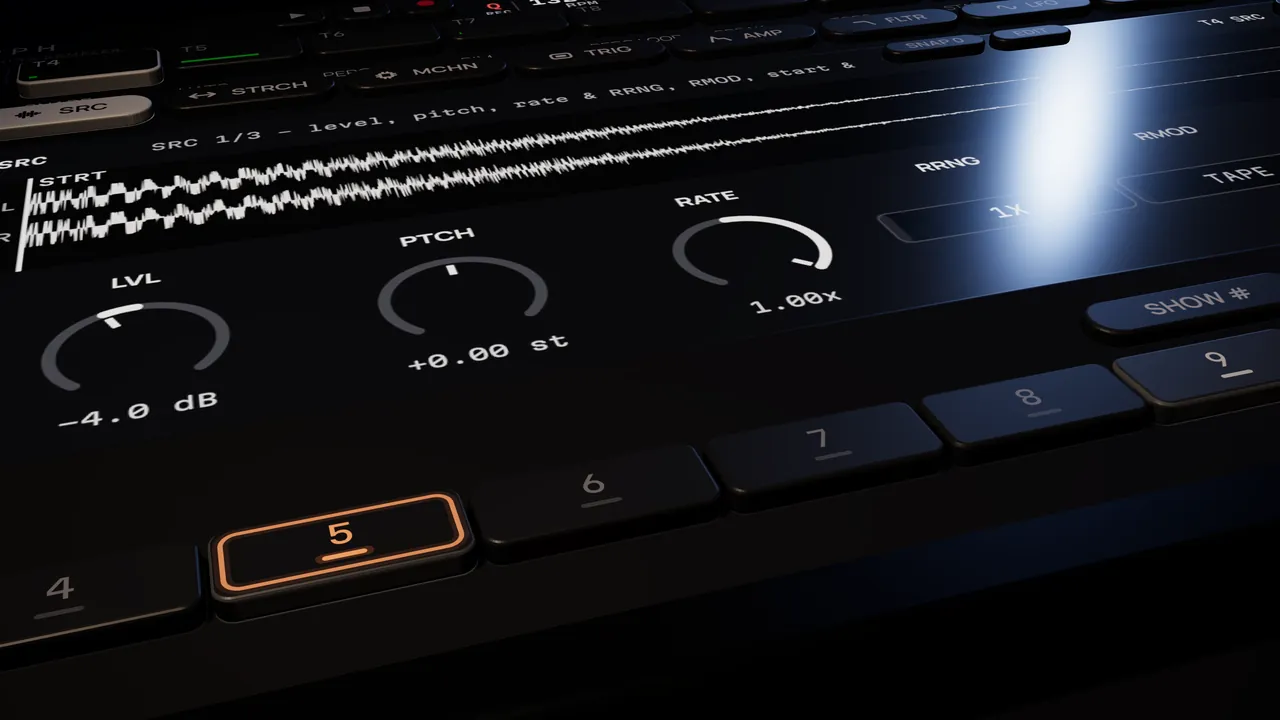
A locked step lit orange under the SRC knobs, rendered close up

Hexamorph / Parameter locks explained

Parameter locks, trig conditions and scenes, explained

The ideas that make hardware grooveboxes fast to write on and fun to play live, explained one by one, with how to use each of them inside your DAW.

Parameter locks

In a normal step sequencer a step says one thing: play the note. A parameter lock lets the step also say how: this hat a little more closed, this kick from a different sample, this snare through a longer reverb.

The lock lives on the step. When the sequencer reaches it, the parameter jumps to the locked value; when it reaches a step without that lock, the parameter goes back to the track's own setting. Nothing is drawn as automation, so the pattern stays one short loop that you can still change while it plays.

Locks are what turn a four-bar loop into a part that breathes: accents, a slice that changes every other bar, a delay throw on one beat.
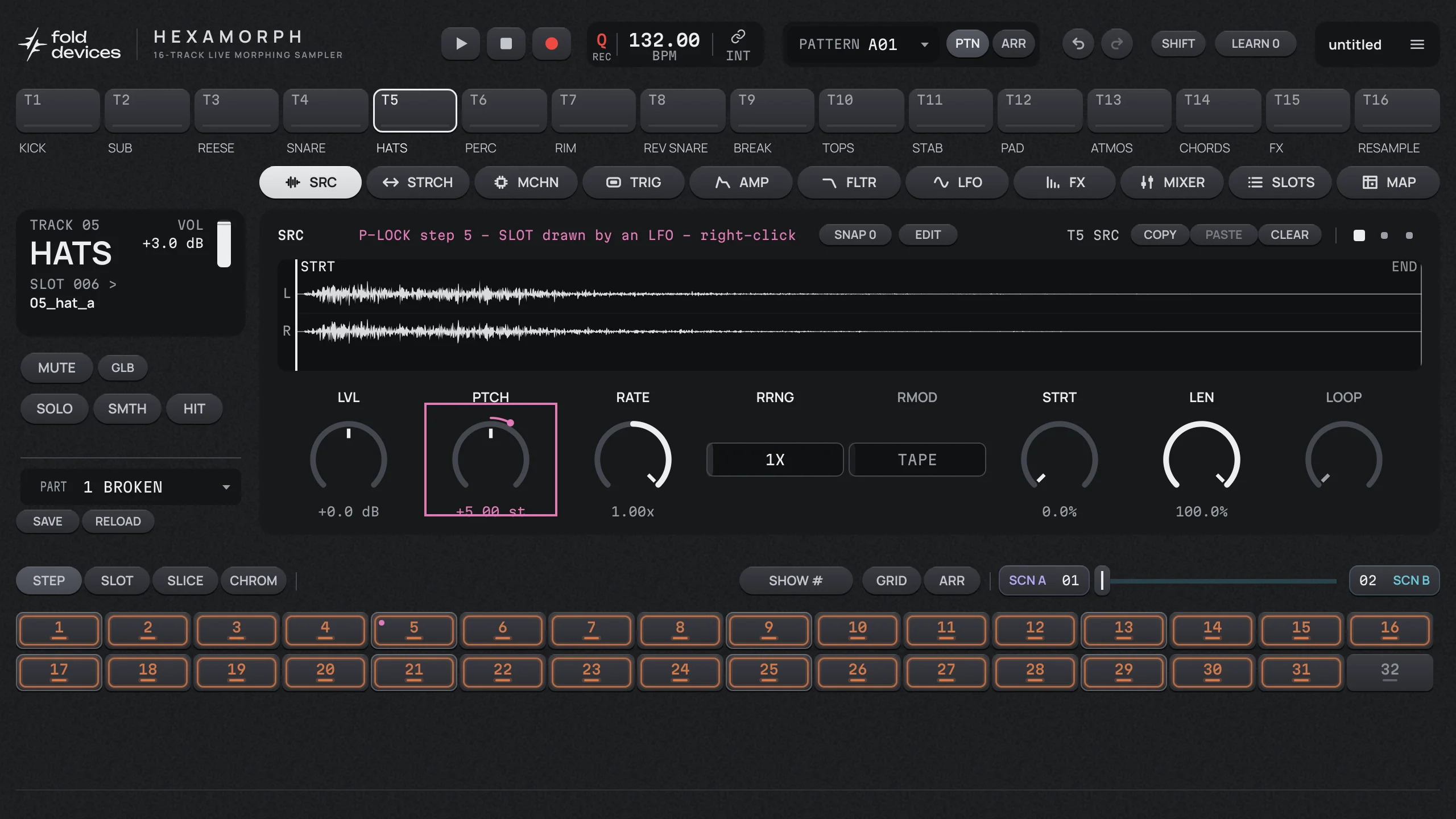
A step opened for locking: the SRC page of a hi-hat track, header marked P-LOCK step 5
A step opened for locking. Every knob you turn now is stored on step 5 only.

Trigless trigs

Sometimes you want to change a sound without hitting it again: close a filter halfway through a long pad, move the start point of a loop on the next beat. A trigless trig is a step that carries locks but starts no note. It reshapes whatever the track is already playing.

Trig conditions

A trig condition decides whether a step plays on this pass of the pattern. With a few conditions a one-bar pattern can play differently on every bar of an eight-bar phrase.

ProbabilityThe step plays with a chance you set, for example 50%.
A:BThe step plays on pass A of every B passes of the pattern. 1:4 plays on the first of every four bars; 3:4 on the third.
FILL / NOT FILLThe step plays only during a fill, or only when there is no fill. In Hexamorph a fill arms itself every N passes of the pattern.
PREV / NOT PREVThe step plays only if the last step with a condition on the same track played, or did not. Two steps can take turns this way.

Track length and speed

When every track has its own length, patterns drift against each other: a 12-step hat line over a 16-step kick only lines up again after three bars. Give a track its own speed as well and a bass can run at half time under double-time hats. This polymeter is one setting per track, not a page of copied clips.

Parts and scenes

A part holds the sound of every track: the samples and every page of settings. Switching parts changes how a pattern sounds without touching its steps.

A scene is a set of changes on top of the part, on as many parameters and tracks as you like. Put one scene on each side of a crossfader and one move morphs the whole mix: filters open, delays feed back, a loop slows down. Continuous values glide; switches flip at the middle.

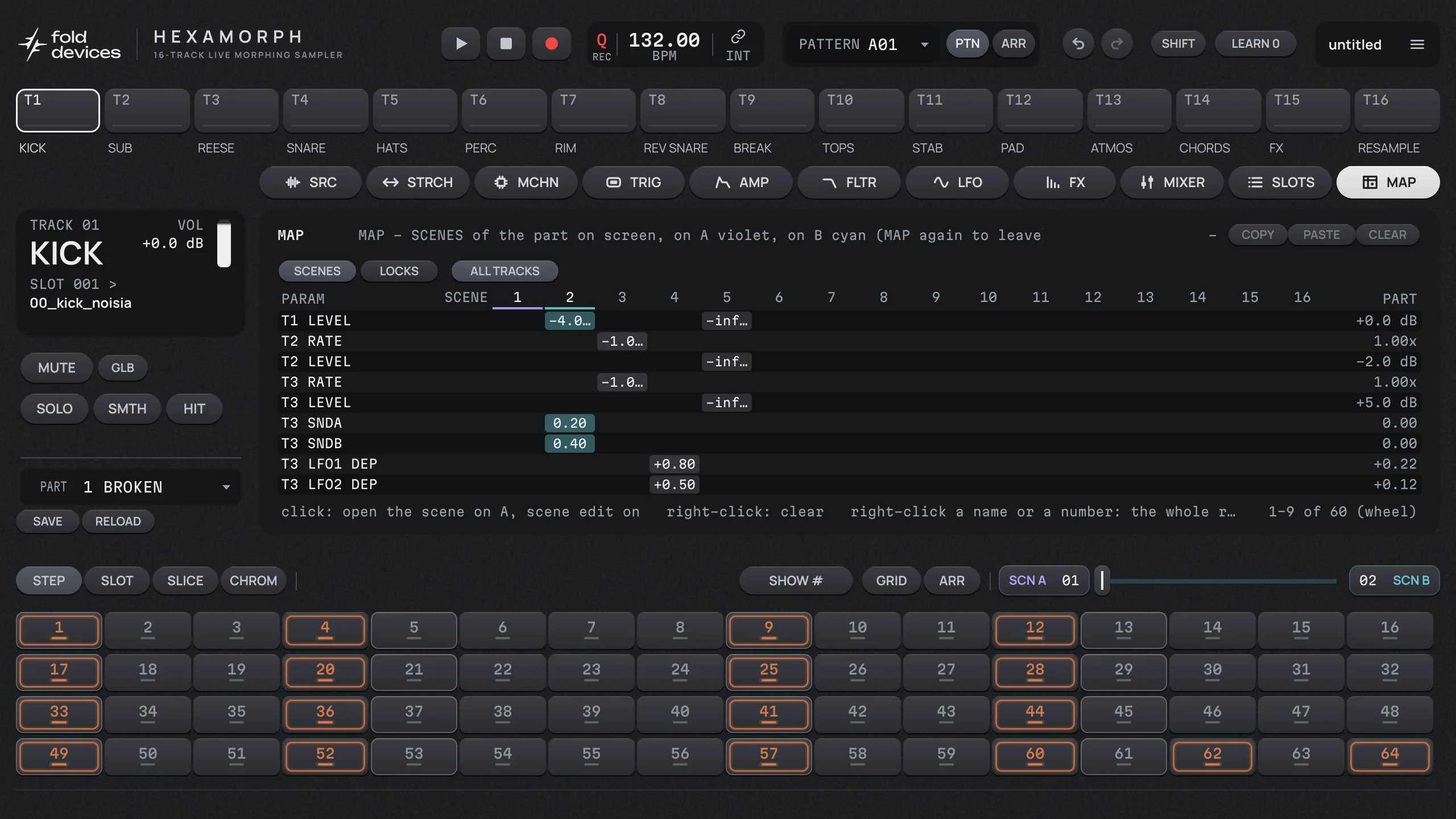
The MAP page: a table of the parameters two scenes change, with the part values on the right
The MAP page lists what every scene changes, so a scene is never a mystery.

How to do it in Hexamorph

  • Lock a step: right-click a step. It opens for locking, and an empty step becomes a trigless trig. Turn any knob on any page; right-click a knob to remove its lock, click empty space to finish.
  • Set a condition: on the TRIG page, pick COND for the step: probability, A:B, FILL or PREV.
  • Change track length and speed: on the GRID page, set LEN and SPEED for the track.
  • Build a scene: pick a scene for side A or B, turn the knobs you want it to hold, then move the crossfader.
  • Check what is going on: the MAP page lists every lock on the track and every value each scene holds.

See every feature or get parameter locks in Ableton Live and other DAWs.

Questions

What is a parameter lock?

A value stored on one step of a step sequencer. When that step plays, the parameter jumps to the locked value, for example a different pitch, filter cutoff or sample, and goes back to the track's own setting on the next step that has no lock.

What is a trigless trig?

A step that carries locks but does not start a new note. It changes parameters of the sound that is already playing, for example closing a filter halfway through a long sample.

What are trig conditions?

Rules that decide whether a step plays on a given pass: probability, A:B (the A-th of every B passes), FILL and PREV. They make a short pattern vary without writing more bars.

What is the difference between a scene and a parameter lock?

A lock belongs to one step of one track. A scene is a set of values for many parameters on many tracks, and a crossfader morphs between two scenes while the pattern plays. In Hexamorph a scene wins over a lock when both touch the same parameter.

Try it in your own DAW.

The beta is free for macOS, Windows and Linux (VST3, AU on Mac, and a standalone app). Join the list for an invite, or pre-order with no payment now and get 20% off at launch.

Join the beta